
Turn Trading Screenshots Into Journal Entries
TradeJournaly uses computer vision AI to turn supported trading screenshots into structured journal data. Capture your executions in seconds, eliminate manual typing friction, and build consistent trade records without ever sharing broker passwords.
Step-by-Step Architecture
How Screenshot Trade Capture Works
From raw broker image to quantified behavioral insights in 6 clear stages.
Upload Screenshot
Drag & drop an image or paste directly from your clipboard (Ctrl+V). Upload filled order books, execution tables, or closed position screens from your broker or charting terminal.
AI Analyzes the Image
Our server-side vision AI model scans the visual layout, identifying columns, row alignments, tickers, side indicators (Buy/Sell), and price numbers.
Trade Information Extracted
Key parameters, including asset symbol, filled quantity, entry price, exit price, timestamp, and net realized P&L, are parsed into clean data fields.
Review & Confirm
The multi-trade verification drawer presents the extracted trades for your review. Confirm the details, attach custom playbook setups, and record emotional execution notes.
Structured Journal Entry
The trade is saved into your private database, linked to your designated trading account, and normalized against your baseline 1R initial risk.
Instant Analytics & Telemetry
Performance metrics update immediately: Win Rate, Profit Factor, Expectancy, Calendar Heatmaps, and Behavioral Leak Radar.
Less Manual Logging, More Consistent Records
The primary reason trading journals fail is friction. When journaling requires typing 15 numbers per trade into spreadsheets after an exhausting market session, traders stop logging, especially on losing days when tracking mistakes matters most.
By turning screenshots into structured journal data, TradeJournaly eliminates the barrier between closing a trade and having a structured, searchable record of your execution.
Without Screenshot AI
Manual typing into spreadsheets → Fatigue leads to missed logs → Blindspots grow during losing streaks → Emotional tilt remains unaddressed.
With TradeJournaly
Capture screenshot in seconds → Confirm extracted data in 1 click → Master journal updates automatically → Deterministic telemetry monitors your psychological edge.
Designed for Speed on Desktop & Mobile
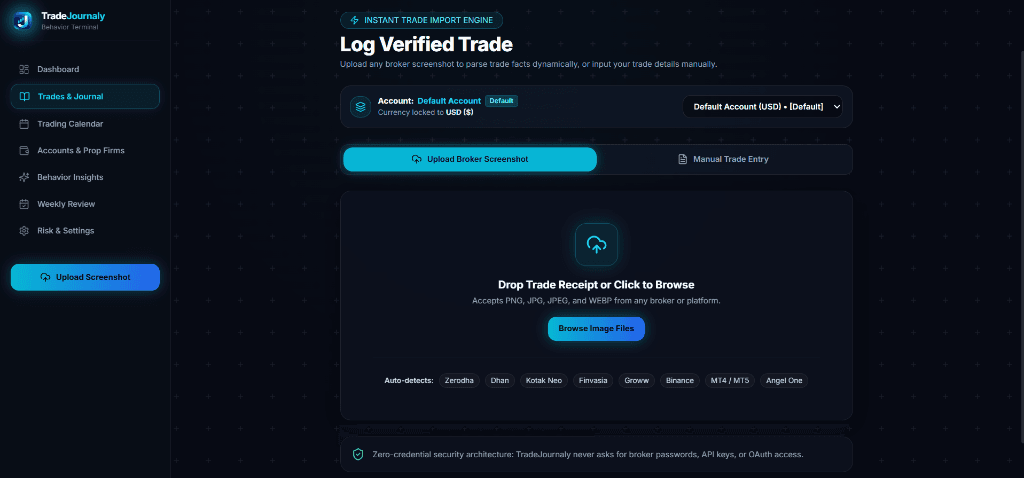
Drop screenshot files on your desktop terminal or snap trade receipts directly on mobile via our installable PWA.
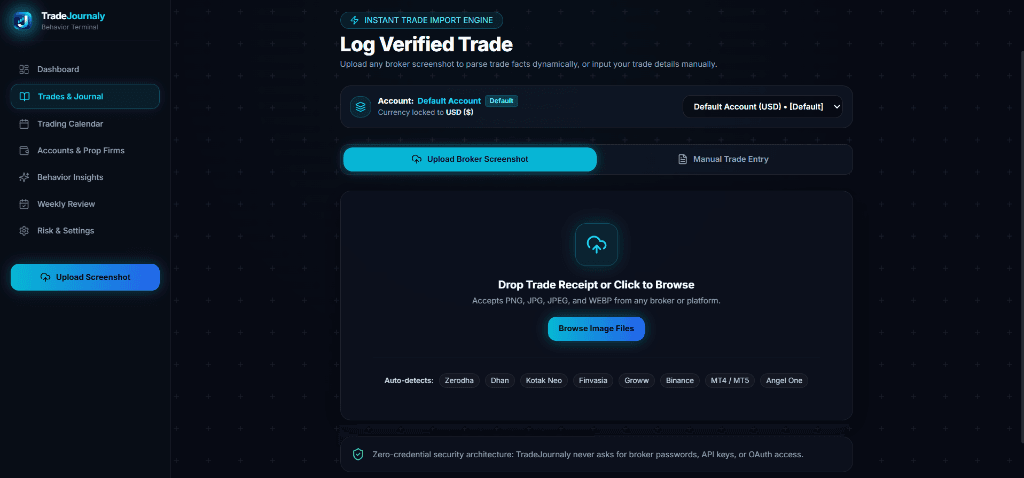
Desktop Interface: Multi-broker dropzone with auto-detection & zero-credential security
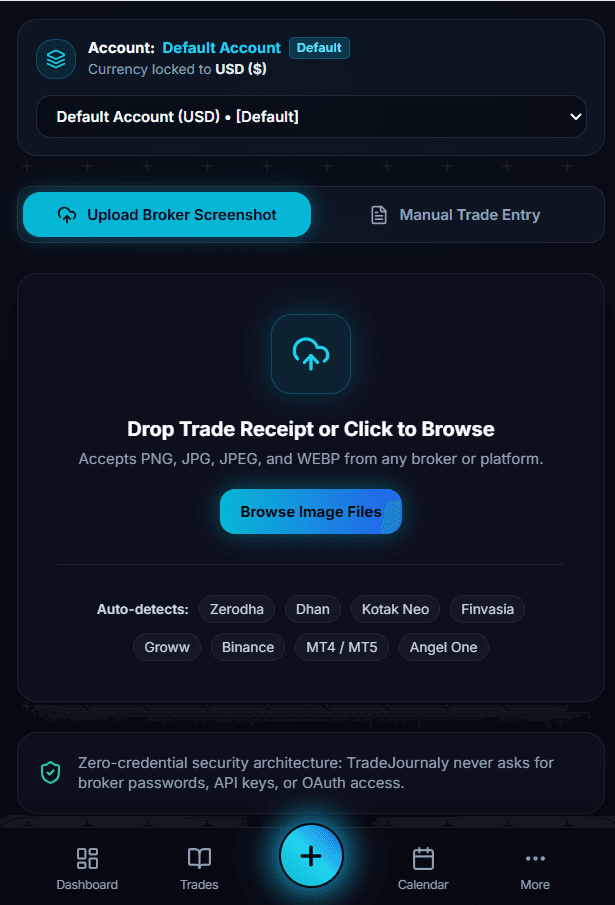
Mobile PWA: 1-tap trade receipt uploads
Supported Platforms
Broker-Agnostic Vision Engine
TradeJournaly extracts data from standard position books, order history, and execution tickets across global brokers.
Note: The verification drawer allows you to inspect and adjust any extracted number before it is finalized.
Explore TradeJournaly
Related Journaling & Analytics Resources
Trading Journal Software
Discover how TradeJournaly organizes your master journal, multi-account terminal, and prop firm risk parameters.
Performance Analytics
Learn how R-Multiple normalization and deterministic telemetry reveal your true statistical edge across setups.
Journaling Guides
Read our step-by-step guide on how to build consistent journaling habits and review your weekly execution performance.
Factual Questions
Screenshot Extraction FAQ
How does screenshot extraction work in TradeJournaly?
When you upload an image of your order book or filled position screen, TradeJournaly's vision AI reads the visible trade parameters (symbol, buy/sell direction, execution prices, quantities, and net P&L). You review and confirm the extracted values before they are saved to your master journal.
Why is there a review step before trades are saved?
The verification step gives you complete control to verify numbers, attach custom playbook setups, assign emotional tags, and adjust take-profit or stop-loss points. This ensures 100% data integrity in your journal.
Do I need to connect broker API keys or login credentials?
Never. Screenshot-based capture operates entirely on image files or clipboard pastes. You never share API keys, secrets, or broker passwords.
Can I also log trades manually without screenshots?
Yes. If you do not have a screenshot, you can use TradeJournaly's streamlined manual trade logging form with custom currency symbols and instant 1R risk modeling.